Tag your old photos. See them on the map.
 RetroTagr
Camera_Setup.jpg

Travel_Map.jpg
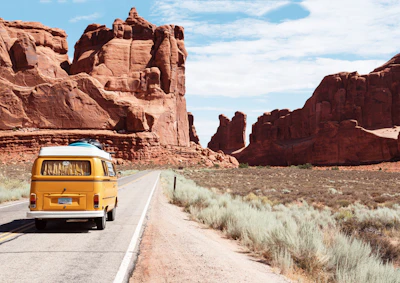
Roadtrip_Van.jpg

Vintage_Camper.jpg

Mountain_Hike.jpg
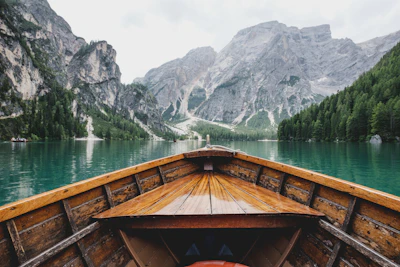
Alpine_Lake.jpg

Desert_Dunes.jpg

Deep_Forest.jpg
Photo Details
Camera_Setup.jpg
Jun 12, 2024 2:30 PM
Tokyo, Japan

Fujifilm X-T4
XF 35mm f/1.4
f/2.8 • 1/250s • ISO 160
Your digital memories are
lost on the map.
Millions of photos—scans from family albums, DSLR shots, and digital archives—are missing GPS data. They sit in folders, disconnected from the real-world places they belong.
Without this data, the "Places" map in Apple Photos, Google Photos, and Lightroom stays empty. Your memories have no place.
Put them back where they belong.
RetroTagr is the missing link. We provide the easiest, fastest way to add precise GPS coordinates to your image files.
- Works with camera photos, scanned prints, any image
- Search any address or drag the pin to exact spots
- Download files ready for Apple Photos, Google Photos, Lightroom
Testimonials
Trusted by photographers and historians to preserve their memories.
“My Canon shots from 2008 finally show up on the map. I can see exactly where each trip photo was taken. The Places view in Apple Photos is actually useful now.”
“Scanned 300 photos from my parents' albums. Now the whole family can browse them by location in Google Photos. My dad was amazed to see the old house on the map.”
“Road trip photos from 15 years ago—I couldn't remember half the places we stopped. Now I can retrace the entire journey on the map. It's like rediscovering old memories.”
AI-Powered Geotaggingfor your memories.
RetroTagr uses multiple AI models to identify locations from visual cues in your photos. From landmarks and architecture to vegetation and street signs—our AI analyzes it all to suggest precise coordinates.
AI Location Finder
Upload photos without GPS and AI analyzes landmarks, architecture, and scenery to suggest precise coordinates. No more guessing where old photos were taken.
Multi-Provider AI
Google Vision, Claude, GPT-4o, and Gemini work together to analyze your photos. Our system automatically picks the best provider for each image, ensuring the highest accuracy possible.
AI Chat Refinement
Chat with AI to refine location suggestions. Provide context like "this was near a beach in Portugal" and watch the AI narrow down the exact spot.
Multi-Photo Analysis
Analyze 2-20 photos together for higher confidence. Like solving a puzzle, the AI cross-references visual clues across multiple images.
Timeline Reconstruction
AI reconstructs your trip chronology, groups photos by location, and fills in gaps. Transform scattered memories into a complete journey.
AI Date Estimation
Analyze clothing, technology, and visual cues to estimate when a photo was taken. Perfect for undated vintage photos.
Text & Sign Detection
OCR reads street signs, business names, and text in your photos for location hints. Every clue helps pinpoint where you were.
Batch AI Processing
Process up to 50 photos at once with parallel AI analysis. Tag entire albums in minutes instead of hours.
Privacy First
Encrypted storage, auto-delete for free uploads, and we never train AI on your photos. Your memories stay private.
Full EXIF Control
Add GPS, fix dates, edit captions—all changes embedded directly into your files.
100% Web Based
No downloads or plugins needed. Works in any modern browser.
Multiple Formats
JPEG, PNG, HEIC, WebP, and TIFF support. Handle any image format.
Photo Collections
Organize photos into albums and keep your projects neatly organized.
Works with your photos
100% lossless metadata embedding - your image quality stays pixel-perfect
JPEG
Universal compatibility
PNG
Screenshots & graphics
TIFF
Professional archival
WebP
Modern web format
AVIF
Next-gen compression
Future Enhancements
We're constantly improving RetroTagr with new AI-powered capabilities. Here's what's next on our roadmap.
AI Photo Enhancement
Upscale old photos, remove noise, and restore faded colors. Bring your vintage memories back to life.
AI Video Geotagging
Extend AI location detection to video files. Analyze frames to determine where your videos were recorded.
AI Scene Recognition
Automatically categorize photos by scene type—beach, mountain, city, indoor, etc.—to help organize your library.
Want to be notified when these features launch? Create a free account and we'll keep you updated.
Simple Workflow
From folder to map in
three simple steps.
Upload your archives
Drag and drop entire folders of photos. We support JPG, PNG, and TIFF. Your photos are encrypted and processed securely.
Drag & Drop Upload
Select files or drop a folder
Pinpoint the location
Search for a landmark or city, then drag the marker to the exact spot. Apply one location to a batch or tag individually.
Interactive Map
Search or drag the pin
Download and organize
Get your photos back with standard GPS EXIF data embedded. They're now ready for Apple Photos, Google Photos, or Lightroom.
GPS Data Embedded
Ready for your photo apps
Pricing
Simple, transparent pricing.
No hidden fees.
Start free, upgrade when you need more. All plans include core features.
Starter
- 100 photos/month
- 300 saved photos
- 15 collections
- ✨ 20 AI location finds/month
- Priority support
Pro
- 5000 photos/month
- 25000 saved photos
- 200 collections
- ✨ 100 AI location finds/month
- Priority support
- Bulk operations
256-bit Encryption
Bank-level security
GDPR Compliant
Your data, your rights
Secure Cloud Storage
Enterprise-grade infrastructure
No Watermarks
Your photos, unbranded
Instant Download
Get files immediately
No Signup Required
Try it right away
FAQ
Frequently Asked Questions
What does it mean to 'geotag' a photo?
Geotagging is the process of adding geographical information to a photo's metadata. This usually means embedding latitude and longitude coordinates into the photo's EXIF data. Once tagged, software like Apple Photos, Google Photos, or Adobe Lightroom can display your photos on a map.
What kind of photos can I geotag?
You can geotag photos from your digital camera, smartphone, or even scanned images from old film prints. We support JPEG, PNG, HEIC, WebP, and TIFF formats.
Is RetroTagr really free?
Yes! Our Free plan lets you geotag up to 15 photos per month, save up to 30 photos, and try AI-powered location detection twice a month — no credit card required. If you need more, our Starter and Pro plans offer higher limits and priority AI processing.
What happens to my photos after I upload them?
Your privacy is our top priority. Photos are encrypted during transfer and storage. We never train AI on your personal photos and we don't claim any ownership of your images.
Can I process multiple photos at once?
Yes! You can upload entire folders of photos and apply the same location to all of them at once, or tag each one individually. This makes it easy to geotag photos from the same trip or event.
Which photo apps work with geotagged photos?
Photos geotagged with RetroTagr work with all major photo management apps including Apple Photos, Google Photos, Adobe Lightroom, and Adobe Bridge. Any app that reads standard EXIF GPS data will display your photos on a map.